Posts in Category: SysAdmin
How to use different user and group for just one Virtual Host in Apache
 With the mpm-itk that is a multi-processing module (MPM) you can run each virtualhost with it’s own user id and group id. This is basically used to make a shared hosting secured, since you don’t have to make all virtualhosts folders readeable by apache user.
mpm-itk is based on the traditional prefork MPM, which means it’s non-threaded; in short, this means you can run non-thread-aware code (like many PHP extensions) without problems.
How to fix “Can’t locate Search/Xapian.pm in @INC”
 Error: Can’t locate Search/Xapian.pm in @INC (you may need to install the Search::Xapian module) (@INC contains: /path/to/something /etc/perl /usr/local/lib/perl/5.18.2 /usr/local/share/perl/5.18.2 /usr/lib/perl5 /usr/share/perl5 /usr/lib/perl/5.18 /usr/share/perl/5.18 /usr/local/lib/site_perl .) at (eval 143) line 2. BEGIN failed–compilation aborted at (eval 143) line 2.
To fix this, in ubuntu 14.04, just type:
sudo apt-get install libsearch-xapian-perl
How to fix “Can’t locate Sort/Naturally.pm in @INC”
Can’t locate Sort/Naturally.pm in @INC (you may need to install the Sort::Naturally module) (@INC contains: /path/to/something /etc/perl /usr/local/lib/perl/5.18.2 /usr/local/share/perl/5.18.2 /usr/lib/perl5 /usr/share/perl5 /usr/lib/perl/5.18 /usr/share/perl/5.18 /usr/local/lib/site_perl .) at (eval 145) line 2.
BEGIN failed–compilation aborted at (eval 145) line 2.
To fix this, in ubuntu 14.04, just type:
sudo apt-get install libsort-naturally-perl
How to disable apache logs
To disable apache logs (access and error log) to avoid excessive writes on local server just open your /etc/apache2/apache2.conf file and change the following two configurations:
Change the ErrorLog to:
ErrorLog /dev/null
Now, open /etc/apache2/conf.d/other-vhosts-access-log and comment the following line
#CustomLog /var/log/apache2/other_vhosts_access.log vhost_combined
In addition, you might have to change these files:
/etc/apache2/sites-available/default-ssl
/etc/apache2/sites-available/default
and change the ErrorLog and comment out the CustomLog:
ErrorLog /dev/null
#CustomLog ${APACHE_LOG_DIR}/access.log combined
If you have more VirtualHosts, you need to make the same configuration for them.
Source; lleess
Delete ElasticBeanstalk bucket
If you can’t delete Elastic Beanstalk created bucket, first remove all files inside the bucket then remove de bucket policy.
Go to the bucket’s policy (bucket –> properties –> permissions –> edit bucket policy)
Save the change to the Bucket Policy.
Now right click on the bucket and press delete.
AWS t1.micro 100% CPU
Sometimes EC2 CloudWatch monitoring shows 100% CPU usage but when you ssh to your instance and try to see it with ‘top’ you can’t understand what is happening. Probably, Amazon is “borrowing” some of your CPU cycles to give to someone else who needs it – this is standard practice for a virtualised environment where physical server resources like RAM usage and CPU cycles are often hugely over-committed.
 To check for CPU steal, run
 top and take a look for the %st value. If this value is anything other than zero, it means your VM’s CPU cycles are being “borrowed”.
Recovering a Lost Amazon EC2 SSH Key
 In case you lose your Amazon EC2 SSH Key, and can’t login in your instance. This isn’t a big problem if your instance is EBS based and you use an Elastic IP.
1. Upload your new SSH Key, or use one made by AWS
2. Make an AMI of your instance
3. Launch a new machine from your AMI, select the new SSH Key
4. Log in your machine with default user (ubuntu, ec2-user, depends on your original AMI image)
5. Change the Elastic IP to the new machine
6. Turn of the old machine and terminate it.
RDS Instance Sizes, maximum concurrent connections
RDS Class max_connections
t1.micro 34
m1.small 125
m1.medium 296
m1.large 623
m1.xlarge 1263
m2.xlarge 1441
m2.2xlarge 2900
m2.4xlarge 5816

How to waste less money with AWS
First of all, you need to carefully select the region where you are going to stablish your servers.
US-EAST / US-WEST-2 are the cheaper regions by the time that i wrote.
You can check the prices per regions on the links at the end of this post.

Using AWS for almost a year in free tier, i did not paid attention to purchasing options of instances.
How to change timezone in ubuntu
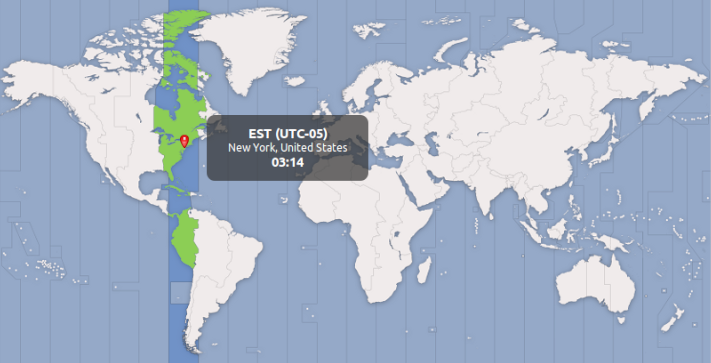
To change timezone in ubuntu, just use that in terminal:
sudo dpkg-reconfigure tzdata